01
Draw it
Drag sources, effects and controls onto the canvas and connect them with cables. An LFO can move any value; a trigger can flip one.
Mac · iPad · iPhone · iPhone Duo
Phonique is a node editor for Apple audio. Wire up players, effects and spatial scenes, hear them live as you work, then export clean Swift for AVAudioEngine or PHASE.
Coming to the App Store.
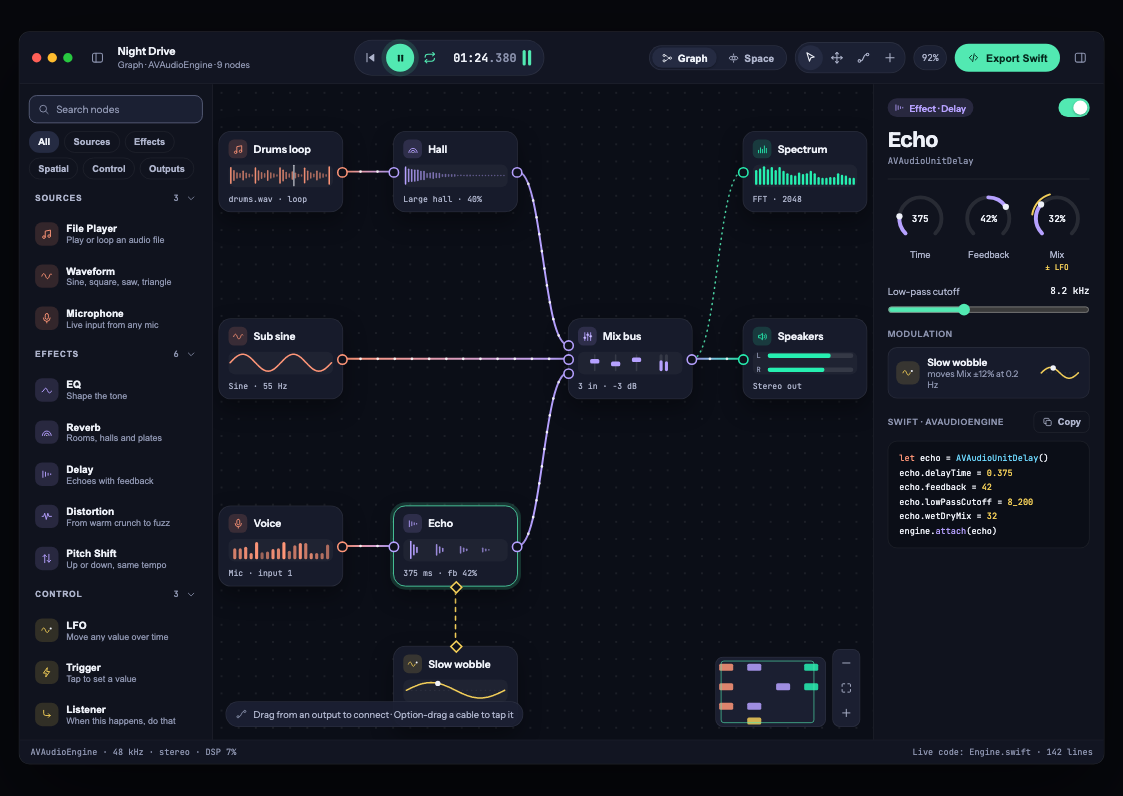
Three moves from an idea to a sound your app can play.
01
Drag sources, effects and controls onto the canvas and connect them with cables. An LFO can move any value; a trigger can flip one.
02
The graph plays while you edit. Turn a dial and the sound changes under your hand; meters and a spectrum show what is happening.
03
Export a Swift package that needs nothing beyond Apple’s frameworks. Add it to your app and call start().
import NightDrive

let graph = try NightDriveGraph()
try graph.start()
// …
graph.stop()
Draw it · 11 seconds
In Lo-fi radio, add a Trigger, drag it into place and connect it to Distortion Mix. Press the same Trigger to change the sound.
Build signal chains on AVAudioEngine, or place sounds in a room with PHASE, Apple’s Physical Audio Spatialization Engine. Switch views with one tap, and export whichever your app needs.
Graph · AVAudioEngine
Players, generators and the microphone; EQ, reverb, delay, distortion, pitch and mixers; LFOs, triggers and if-then listeners; speakers, recorders and a live spectrum.
try engine.connectNode(echo, to: mix, format: nil)Space · PHASE
Sources around a listener, walls of wood or glass that muffle them, rooms that ring. Hear the room binaurally on headphones, and export the scene as PHASE code.
engine.defaultReverbPreset = .largeHallPHASE stands for Physical Audio Spatialization Engine. It is Apple’s framework for dynamic audio in games and apps, where sounds react to the scene around them: a wall in the way, a room that rings. Phonique’s Space view lays out that scene and exports it as PHASE code.
Give sound a path · 15 seconds
In PHASE, Footsteps in snow travels along the visible path in front of the listener, then returns. Listen with headphones to hear the movement.
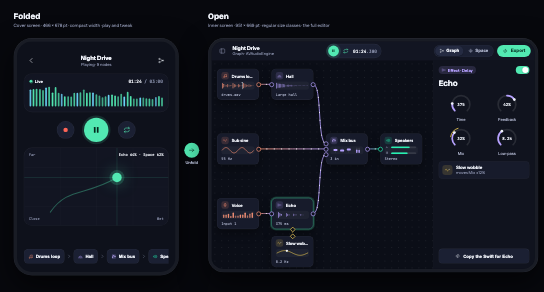
One project moves between them. Fold the Duo to play, unfold it to edit.
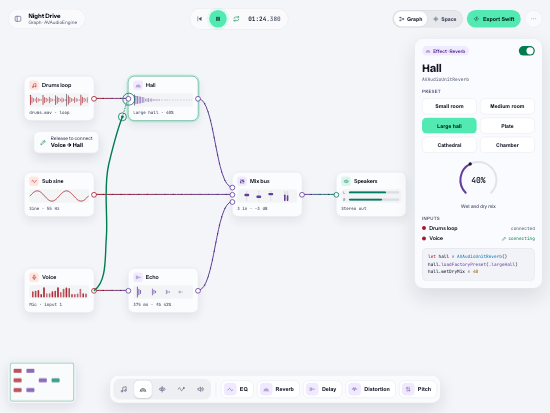
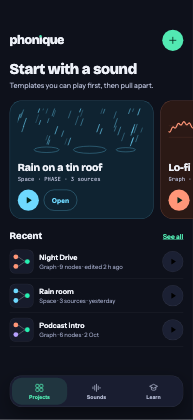
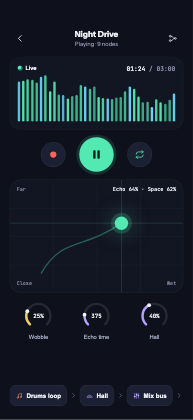
Each template is a curated starting point. Open one in Phonique and pull it apart.
One app for the Mac, iPad and iPhone.